
Kiddions Mod Menu - Official Free GTA 5 Modest Menu Download
The most trusted external mod menu for GTA V Online. Over 5 million downloads since 2019. Zero bans when used correctly. 100% free with no hidden costs or premium versions.
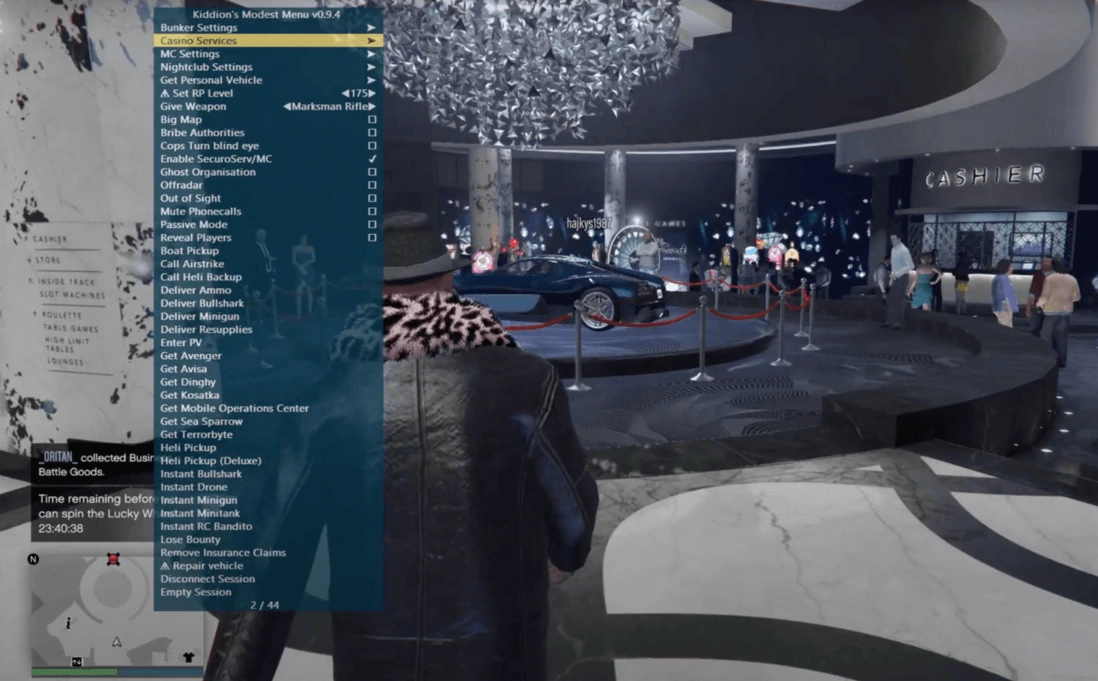
Kiddions Mod Menu (also known as Modest Menu) is the most trusted external modification tool for Grand Theft Auto V Online. Unlike internal menus that inject code directly into the game process—causing frequent detection and bans—Kiddions Mod Menu operates entirely externally by reading and writing memory addresses without hooking game functions. This revolutionary architecture has kept it undetected since its initial release in 2019, making it the safest free option available for PC players seeking money recovery, vehicle customization, teleportation, and world manipulation features.
Why Kiddions Is The Safest Choice
The fundamental difference between Kiddions Mod Menu and paid alternatives lies in its external process architecture. Internal menus like Phantom-X, Stand, or 2Take1 inject DLL files into GTA5.exe and hook DirectX rendering functions to display overlays. This leaves detectable signatures in memory that Rockstar's anti-cheat can scan. Kiddions bypasses this entirely by running as a separate process that uses Windows API functions (ReadProcessMemory and WriteProcessMemory) to manipulate game data.
Undetected Architecture
External process design with no DLL injection. Zero documented bans since 2019 when following safety guidelines. Works independently from game process.
Safe Money Recovery
Bunker Method generates $50M safely over 5 days. Casino Rig for blackjack wins. Daily Objectives automation. Built-in transaction delays mimic human behavior.
Complete Vehicle Control
Spawn any vehicle including unreleased DLC cars. Instant max upgrades (Engine 4, Turbo, Armor). Custom RGB underglow, license plates, and liveries.
Lua Script Engine
Load custom community scripts from GitHub. Automate Cayo Perico setup missions. Teleport to waypoints. Create macros for repetitive tasks. Full API documentation available.
World Manipulation
Change weather (clear, rain, snow, fog). Adjust time of day instantly. Modify gravity and game speed. Spawn bodyguards with godmode. Remove wanted level with one click.
Session Protection
Block CEO kicks and apartment invites. Prevent transaction errors. Protection against most public lobby griefing tools. Notification system for detected threats.
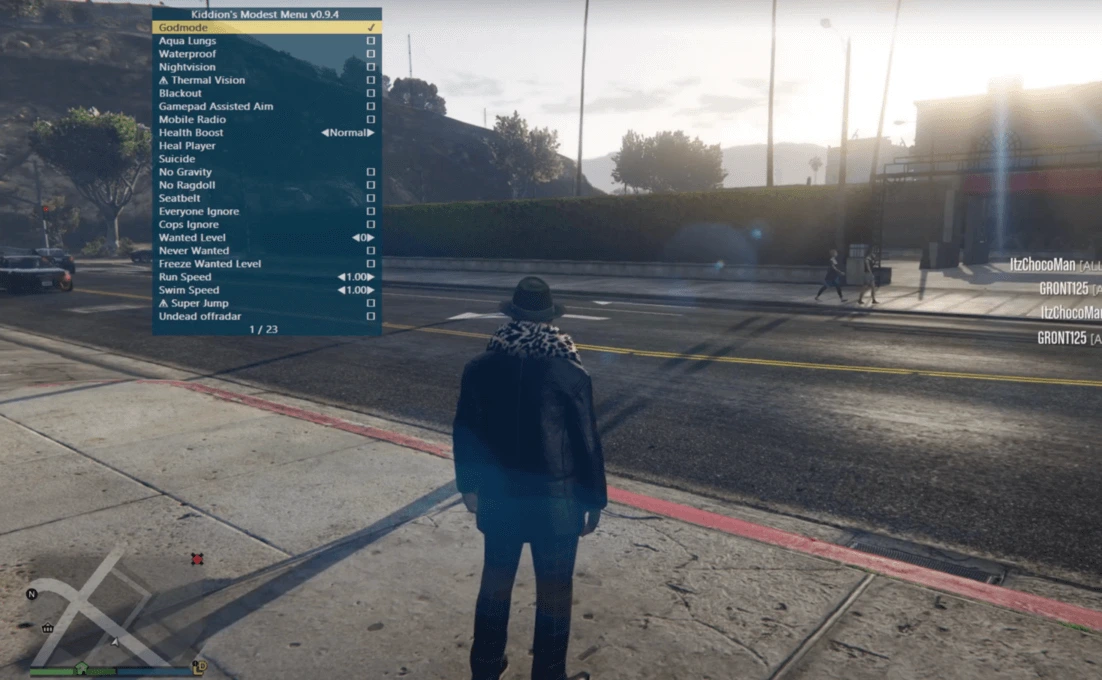
Complete Installation Guide
Installing Kiddions Mod Menu requires no complex installation wizard. The software is fully portable and runs directly from any folder on your Windows system. The entire package is only 2.6 MB, making it lightweight and fast to launch.
Prerequisites
- Operating System: Windows 10 (build 1909+) or Windows 11
- GTA V Version: Latest Steam or Epic Games version (patch 1.68 as of February 2026)
- Runtime: Visual C++ Redistributable 2015-2022 (x64)
- Antivirus: Windows Defender or ability to add folder exclusions
- Disk Space: 10 MB free space (menu + Lua scripts folder)
Installation Steps
- Download the archive - Click the green "DOWNLOAD MODEST MENU" button above. The file is a ZIP archive (2.6 MB).
- Disable Windows Defender temporarily - Go to Windows Security → Virus & threat protection → Manage settings → Turn off Real-time protection.
- Extract files to desktop - Right-click the downloaded ZIP → Extract All → Choose your desktop.
- Add folder to Windows Defender exclusions - Windows Security → Virus & threat protection → Exclusions → Add exclusion → Folder.
- Launch GTA V - Start the game through Steam or Epic Games Launcher. Load into Story Mode or Online Session.
- Change to Windowed Borderless - Press
Escape→ Settings → Graphics → Display Mode → Windowed Borderless. - Run modest-menu.exe as Administrator - Right-click
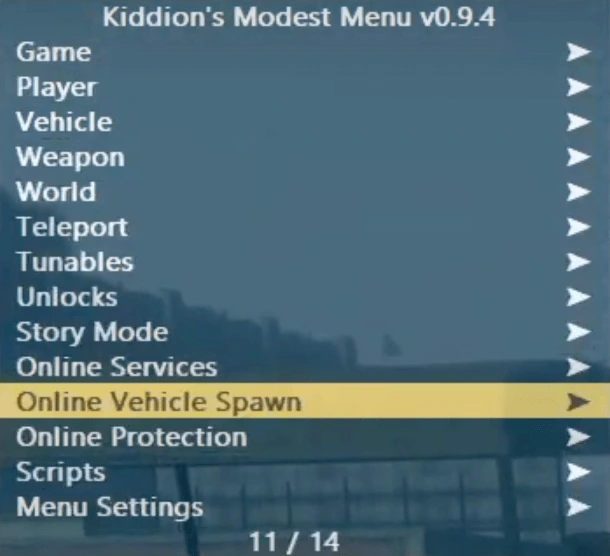
modest-menu.exe→ Run as administrator. - Navigate the menu - Use Numpad:
8= Up,2= Down,5= Select,0= Back,9= Toggle.
Version History & Changelog
Kiddions Mod Menu receives regular updates to maintain compatibility with Rockstar's frequent GTA V patches. Updates are distributed through the same download link—simply re-download when a new GTA V patch is released.
| Version | Release Date | Changes & Fixes |
|---|---|---|
| v1.0.1 | February 2026 | Hotfix for Windows 11 24H2 compatibility. Improved Lua script loader performance. Fixed rare crash when teleporting to custom coordinates. |
| v1.0.0 | May 2024 | Updated all memory offsets for GTA V patch 1.68 (The Agents of Sabotage DLC). Fixed Bunker money loop timeout issue. Added 15 new vehicle hashes. |
| v0.9.10 | December 2023 | Compatibility with The Chop Shop DLC (1.67). Enhanced Lua script engine with better error handling. Added protection against "force apartment teleport" exploit. |
| v0.9.9 | October 2023 | Support for San Andreas Mercenaries DLC. Added Salvage Yard vehicle spawn codes. Updated teleport location database with new interiors. |
Troubleshooting & Common Issues
Most problems with Kiddions Mod Menu stem from incorrect game display settings, missing system dependencies, or antivirus interference. Below are detailed solutions to the most frequently reported issues.
Menu Overlay Not Appearing
Cause: GTA V is running in Fullscreen mode instead of Windowed Borderless.
Solution: Press Alt+Enter while in-game to quickly switch to windowed mode. Then navigate to Settings → Graphics → Display Mode → Windowed Borderless. Restart modest-menu.exe after changing the display mode.
"Unable to find GTA5.exe process" Error
Cause: The menu is launched before GTA V fully loads into memory.
Solution: Start GTA V first through Steam or Epic Games. Wait until you are controlling your character in Story Mode or Online. Then run modest-menu.exe as Administrator.
Windows Defender Quarantines the Files
Cause: Memory manipulation tools trigger heuristic virus detection.
Solution: Add an exclusion in Windows Security. Go to Settings → Update & Security → Windows Security → Virus & threat protection → Exclusions → Add an exclusion → Folder.
Money Not Appearing After Using Recovery
Cause: Rockstar applies transaction limits server-side.
Solution: Never add more than $10 million per session. Wait 24 hours between recovery sessions. Use the Bunker Method (safest)—it simulates selling bunker stock over time with realistic transaction delays.